
By Devcipator – No-Code & Low-Code Development Agency
Building a digital product in 2026 looks nothing like it did five years ago. The teams shipping the fastest aren’t necessarily the ones with the biggest engineering budgets – they’re the ones who’ve figured out how to layer the right AI tools across every stage of the product lifecycle. Research, design, build, launch, analyze. Each stage now has AI working alongside you, cutting weeks off timelines and compressing the gap between idea and shipped product.
But here’s the thing most people get wrong: they try to adopt everything at once, get overwhelmed, and end up using none of it well.
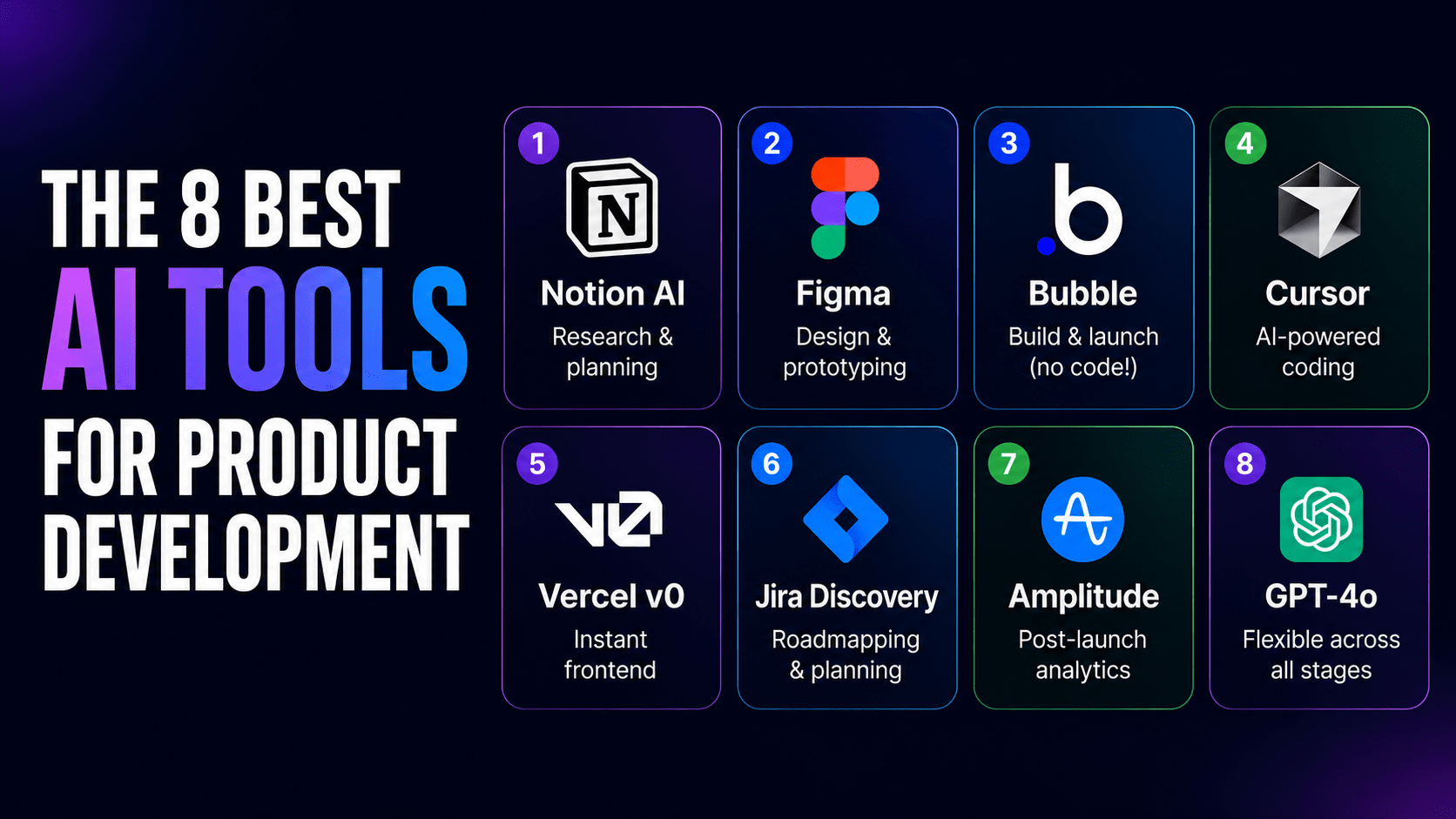
This guide maps the 8 best AI tools for product development to specific stages of your workflow – so you can start with one, build confidence, and expand your stack as your product matures.
Why AI Tools Are Now Non-Negotiable
The data makes a compelling case. Research from Jellyfish, pulling insights from over 600 organizations, found that more than 60% of teams using AI tools saw at least a 25% productivity gain. McKinsey found top AI adopters achieving 16 to 30% improvements in time to market – spending less time on execution and more time on actual decisions.
That’s not a marginal improvement. That’s the difference between a 6-month MVP timeline and a 3-month one.
The gains aren’t happening by accident. AI is compressing timelines by automating the repetitive, time-consuming work at each stage: synthesizing research, generating design variations, scaffolding app structure, and surfacing behavioral patterns after launch.
The 8 Tools, Mapped to Your Workflow
1. Notion AI – Research & Planning
Before a single screen gets designed or a line of code gets written, you need clarity. What are you building? Who is it for? What problem does it solve?
Notion AI accelerates this phase by helping teams write PRDs (product requirement documents), organize research notes, summarize user interviews, and generate first drafts of briefs and specs. It’s a zero-learning-curve tool – if your team already uses Notion for documentation, adding AI to that workflow is a natural extension.
Best for: solo founders, product managers, and cross-functional teams that need shared, well-organized documentation before entering the build phase.
2. Figma, Design & Prototyping
Figma has become the industry standard for UI/UX design, and its AI capabilities have made it even more powerful. Simultaneous multi-editor design, shared component libraries, and AI-assisted layout suggestions mean design teams can move from wireframe to high-fidelity prototype faster than ever.
For non-technical founders, Figma provides a way to validate ideas visually before committing to a build. For developer-led teams, shared Figma files create a single source of truth that bridges the gap between design and engineering.
Best for: any team that needs to validate a concept visually, work collaboratively on design, or hand off polished assets to developers.
3. Bubble, Build & Launch (Our Personal Favorite)
If there’s one tool on this list that genuinely changes what’s possible for non-technical founders and lean teams, it’s Bubble.
Bubble handles the entire build-and-launch stage: web and native mobile apps, database, hosting, security, and deployment, all from a single visual platform. No codebase to maintain. No DevOps overhead. No engineers required.
Its AI functionality lets you generate app structures from prompts, then edit visually when you want precise control. It supports enterprise-level features like SOC 2 Type II compliance, SSO, privacy rules, and version control meaning it’s not just for MVPs. Teams have launched fully-scaled SaaS products on Bubble.
At Devcipator, Bubble is a core part of how we build mobile apps, web apps, and SaaS products for our clients. It’s the reason we can deliver fast, scalable, cost-effective solutions without the overhead of traditional development.
Best for: solo founders, non-technical PMs, lean startups, and agencies who need to ship quickly without inheriting a codebase.
4. Cursor, AI-Powered Code Editor
For developer-led teams that code, Cursor is the AI-native IDE that’s earned serious respect across engineering circles. It integrates large language model assistance directly into your coding environment suggesting completions, explaining code blocks, helping debug, and generating boilerplate at speed.
Unlike GitHub Copilot, Cursor’s interface is built from the ground up around AI interaction. It feels less like a plugin and more like a genuinely new way to write software.
Note: Cursor requires coding knowledge. It’s not a tool for non-technical team members, but for developers who code, it meaningfully reduces the time spent on repetitive implementation work.
Best for: developer-led teams building custom code who want AI integrated into their daily engineering workflow.
5. Vercel v0, Frontend Development
Vercel v0 takes natural language prompts and turns them into production-ready React components. Describe the UI you want, and v0 outputs functional code you can drop directly into your project.
It’s particularly useful in the early stages of frontend development, when you need to scaffold UI components quickly without getting bogged down in implementation details. The output is real code – inspectable, editable, and deployable.
Best for: developer-led teams that need to move quickly on frontend UI, or technical founders who want to prototype interface ideas in code.
6. Jira Product Discovery, Planning & Prioritization
As teams grow, alignment becomes a product in itself. Jira Product Discovery centralizes stakeholder input, roadmap visibility, and prioritization so that everyone – from engineers to executives to external stakeholders — is working from the same plan.
Its AI capabilities help surface patterns in feedback, suggest prioritization frameworks, and keep roadmaps connected to actual delivery. For teams where the biggest bottleneck isn’t building but aligning, this is the tool that removes that friction.
Best for: teams with multiple stakeholders, growing organizations, and product managers who spend too much time in alignment meetings.
7. Amplitude, Post-Launch Analytics
Shipping is not the finish line. What happens after launch determines whether a product grows or stagnates.
Amplitude gives you deep behavioral analytics, how users navigate your product, where they drop off, what drives retention, which features are actually being used. Its AI capabilities surface insights automatically, so you’re not waiting for a data analyst to tell you what’s happening.
The best product teams use Amplitude not just to measure performance, but to make their next development cycle smarter. Every sprint should be informed by what users actually did, not just what you thought they’d do.
Best for: any launched product that has real users. Start Amplitude early, the longer you track behavior, the more valuable your data becomes.
8. OpenAI GPT-4o, Cross-Lifecycle Flexible AI
GPT-4o doesn’t belong to a single stage of the product lifecycle. It’s a flexible AI layer that product teams use for everything from drafting user stories to writing support documentation, summarizing research, generating test cases, and brainstorming feature ideas.
Think of it as the AI you reach for when no other specific tool fits the task. Its API also enables custom integrations – teams building on top of GPT-4o can embed AI capabilities directly into the product they’re building, not just the process of building it.
Best for: teams that want a versatile AI assistant across all stages, and developers building AI-native features into their products.
How to Choose Your Starting Stack
The right stack depends on where you are right now.
If you’re a solo founder or non-technical PM: Start with Bubble for build and launch. Add Notion AI for documentation and planning. Layer in Amplitude once you have users. You can ship a complete, polished product without a single engineer.
If you’re a developer-led team: Cursor or Vercel v0 for development, Figma for design. Add Amplitude post-launch. Jira Product Discovery when stakeholder alignment becomes a bottleneck.
If you’re building collaboratively: Bubble, Figma, Notion AI, and Jira Product Discovery cover every stage and all support real-time multi-user collaboration with role-based access.
If you’re an enterprise team: Bubble, Figma, and Amplitude. Bubble’s enterprise features – SOC 2 compliance, SSO, privacy rules, version control, and automatic scaling – make it a serious option for organizations modernizing their internal tools or customer-facing products.
The One Mistake to Avoid
The most common mistake teams make is trying to implement every tool at once.
It never works. You end up with five half-configured tools, conflicting workflows, and a team that’s more confused than before. Start with the stage of your lifecycle that’s most bottlenecked. Usually that’s planning (Notion AI), building (Bubble or Cursor), or post-launch learning (Amplitude). Master one stage. Then expand.
Final Thought
The teams winning in 2026 aren’t necessarily the best-funded or the most technically skilled. They’re the ones who’ve learned to build fast, learn fast, and iterate faster. AI tools don’t replace good product thinking – but they remove every excuse for moving slowly.
If you have an idea that’s been sitting on the back burner because you’re not sure how to build it, or because traditional development feels too expensive or too slow, the landscape has genuinely changed. The tools exist. The question is whether you’ll use them.